For TikTok Shop creators and brands
From camera roll to your TikTok drafts.
Upload the clips you filmed. Add hook text, combine takes, cut the pauses, all free. Then send the ones you pick to your own TikTok drafts and post them yourself.
Free planNo card needed

Your Library
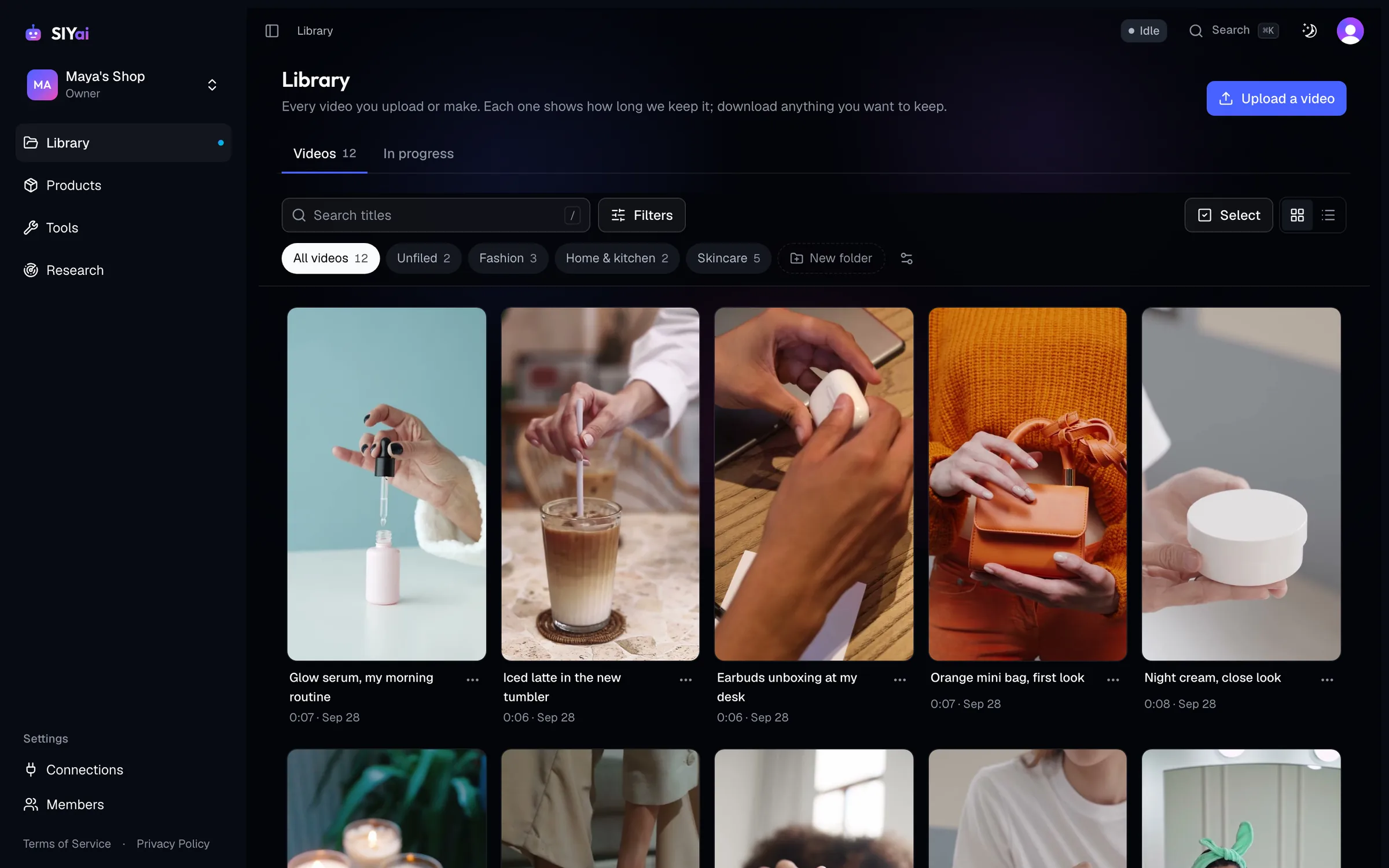
All your clips, one Library.
Upload the videos you filmed and keep everything you finish in one place, ready to send.
- Upload from your phone or computerGive each video a title, and download it whenever you like.
- Folders and searchSort videos into folders and find any one by its title.
- Ready to sendEvery finished video is there when you send to your TikTok drafts.
Free tools
Turn clips into finished videos.
Three free tools for the clips you filmed. Every result lands in your Library.
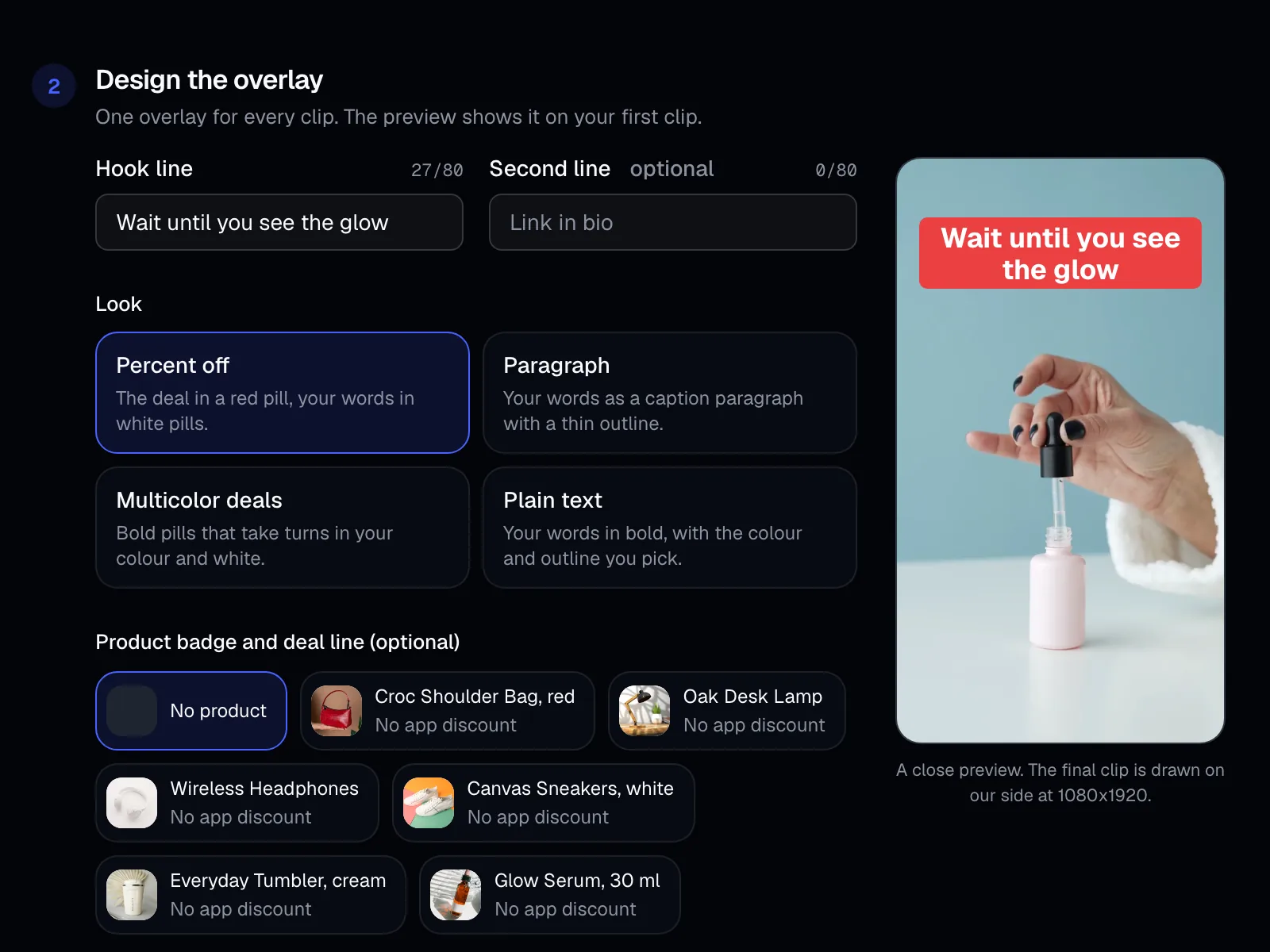
- Overlay StudioPut your hook text on up to 50 clips at once.
- Batch combineJoin openings, middles and endings into up to 30 different videos.
- AI EditCuts the pauses and filler words. You approve every cut.
Send to TikTok
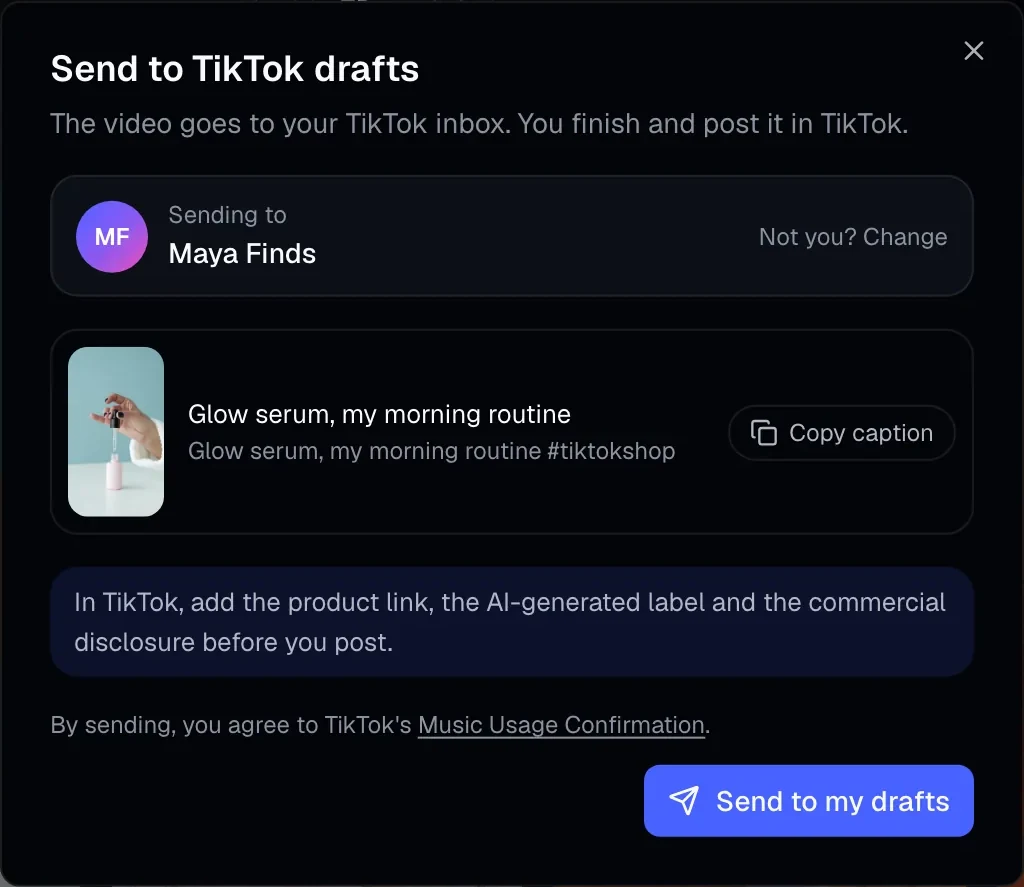
Send to your drafts. Post it yourself.
Connect your own TikTok, pick up to 5 videos, and they arrive in your TikTok inbox.
- It names your accountThe send screen shows which TikTok the videos go to before you confirm.
- You finish the post in TikTokAdd the caption, product link, AI label and commercial disclosure there, then post.
- Nothing added to your videoNo logo, watermark or text from TurboUGC.
Research
See what’s selling on TikTok Shop.
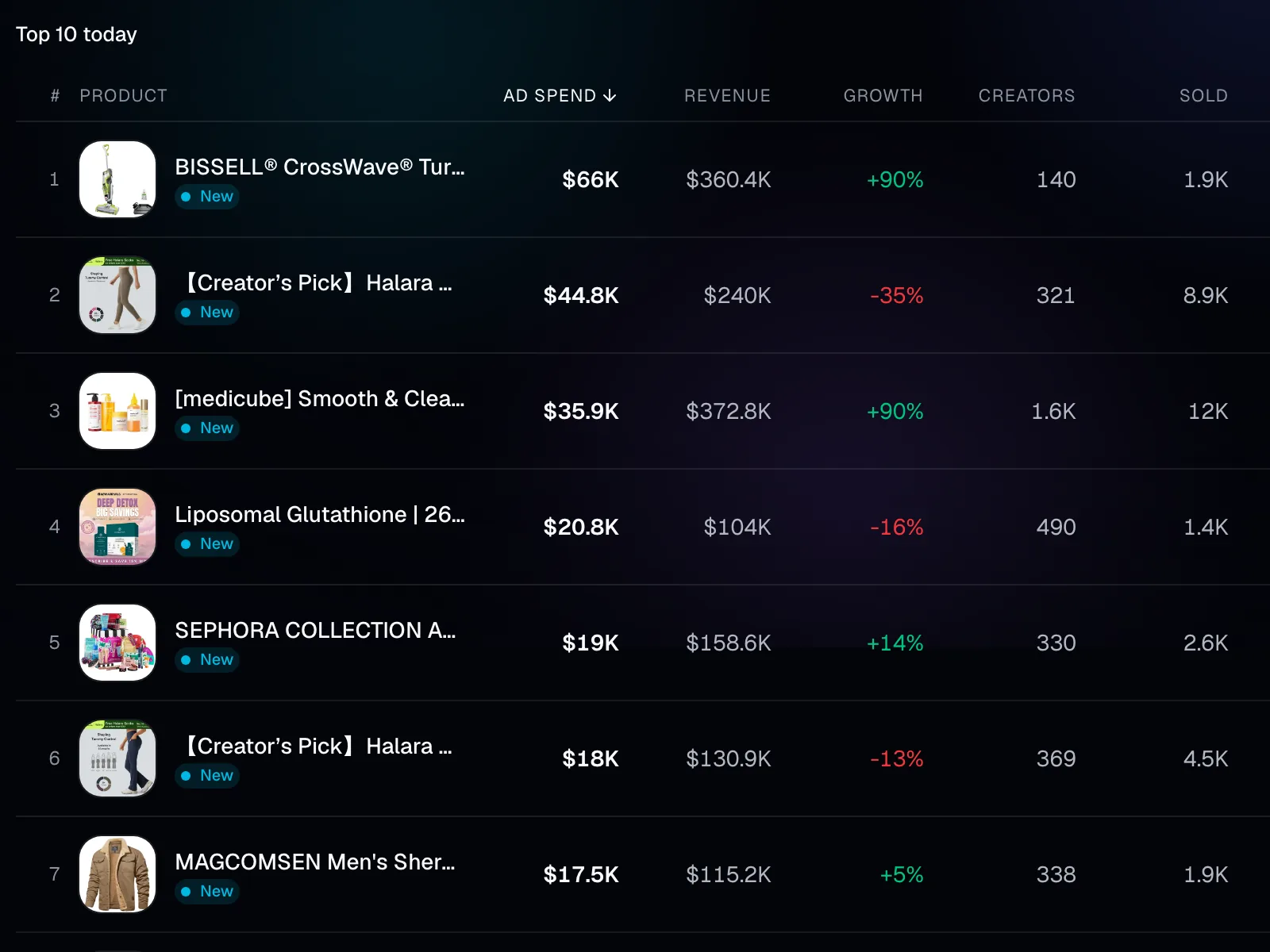
A market list of TikTok Shop products with their sales, growth and ad spend, to help you choose what to film next.
- The numbers that matterAd spend, revenue, growth, units sold and creators for each product.
- Sort it your wayRank the list by the column you care about.
- Search it on every planThe first 10 results of any search on Free; the full list on Pro and Business.
Pricing
Start free. Upgrade when you need more.
Every plan has the free tools and sending to your own TikTok drafts. Paid plans add the full Research list, more uploads, longer keep time and more members.
Free
For trying it out on your own
$0/ month
No card needed
Start free- Research: the first 10 results of any search
- 50 video uploads a month
- Videos kept 30 days
- 1 member
- Overlay Studio, Batch combine and AI Edit
- Send videos to your own TikTok drafts
Recommended
Pro
For a creator or a small shop
$29/ month
Billed monthly
Start with Pro- Research: the full market list, every result, pages and CSV export
- 500 video uploads a month
- Videos kept 90 days
- Up to 3 members
- Overlay Studio, Batch combine and AI Edit
- Send videos to your own TikTok drafts
Business
For a brand and its team
$79/ month
Billed monthly
Start with Business- Research: the full market list, every result, pages and CSV export
- 2,000 video uploads a month
- Videos kept 365 days
- Up to 10 members
- Overlay Studio, Batch combine and AI Edit
- Send videos to your own TikTok drafts
Prices in US dollars. A paid plan renews each month; cancel any time and it stays on until the end of the month you paid for.
Who is TurboUGC for?
Creators and brands who sell on TikTok Shop, including affiliate creators. Each person signs up with their own email, connects their own TikTok account and sends their own videos to it.
Is TurboUGC free?
Yes. The Free plan needs no card: the Library, Products, Overlay Studio, Batch combine, AI Edit, sending to your TikTok drafts, and the first 10 results of any Research search. Pro ($29 a month) and Business ($79 a month) show the full Research list with CSV export, and add more uploads, longer keep time and more members.
Can I change or cancel my plan?
Yes. A workspace's owner or admin upgrades, switches or cancels in Settings → Plan & billing. A paid plan renews each month; after you cancel, it stays on until the end of the month you paid for, then the workspace is back on Free.
How does sending to TikTok work?
Connect your own TikTok account, pick up to 5 videos and press Send. The send screen shows the account they go to and TikTok's Music Usage line. When you confirm, the videos arrive in your TikTok inbox. Open the notification in TikTok, add the caption, product link, AI-generated label and commercial disclosure, and post it yourself.
What does connecting TikTok let TurboUGC do?
Two things. We see your TikTok display name and profile picture, so the send screen can show which account a video goes to. And we upload the videos you confirm to your TikTok inbox. TurboUGC cannot post for you and never does.
How many videos can I send at once?
Up to 5. TikTok holds at most 5 waiting uploads in your inbox, so finish or discard some in TikTok before you send more.
Does TurboUGC add a watermark?
No. We never add our logo, a watermark, a link or promotional text to your videos. Any text on a video is text you chose yourself in Overlay Studio.
Who decides on the AI-generated label?
You do, in TikTok, when you post. TurboUGC never turns it on or off for you. The send screen reminds you to check it before you post.
How do I disconnect and delete my data?
In TurboUGC, open Settings → Connections and press Disconnect: we remove our access at TikTok and delete the saved sign-in. You can also remove TurboUGC inside TikTok under Settings and privacy → Security → Manage app permissions. To delete your account and its data, email support@turbougc.com from the address you signed up with.